Coming soon for iPhone
Training, body and food.
All in one place. Honestly measured.
Strength training, cardio, nutrition and body measurements in one app. No account: your data stays on your iPhone, and in iCloud only if you turn on sync.
The app is in German only for now.
Why FORMA
- A set in two tapsWeight and reps are already filled in.
- Muscles at a glanceThe 3D figure shows what you trained.
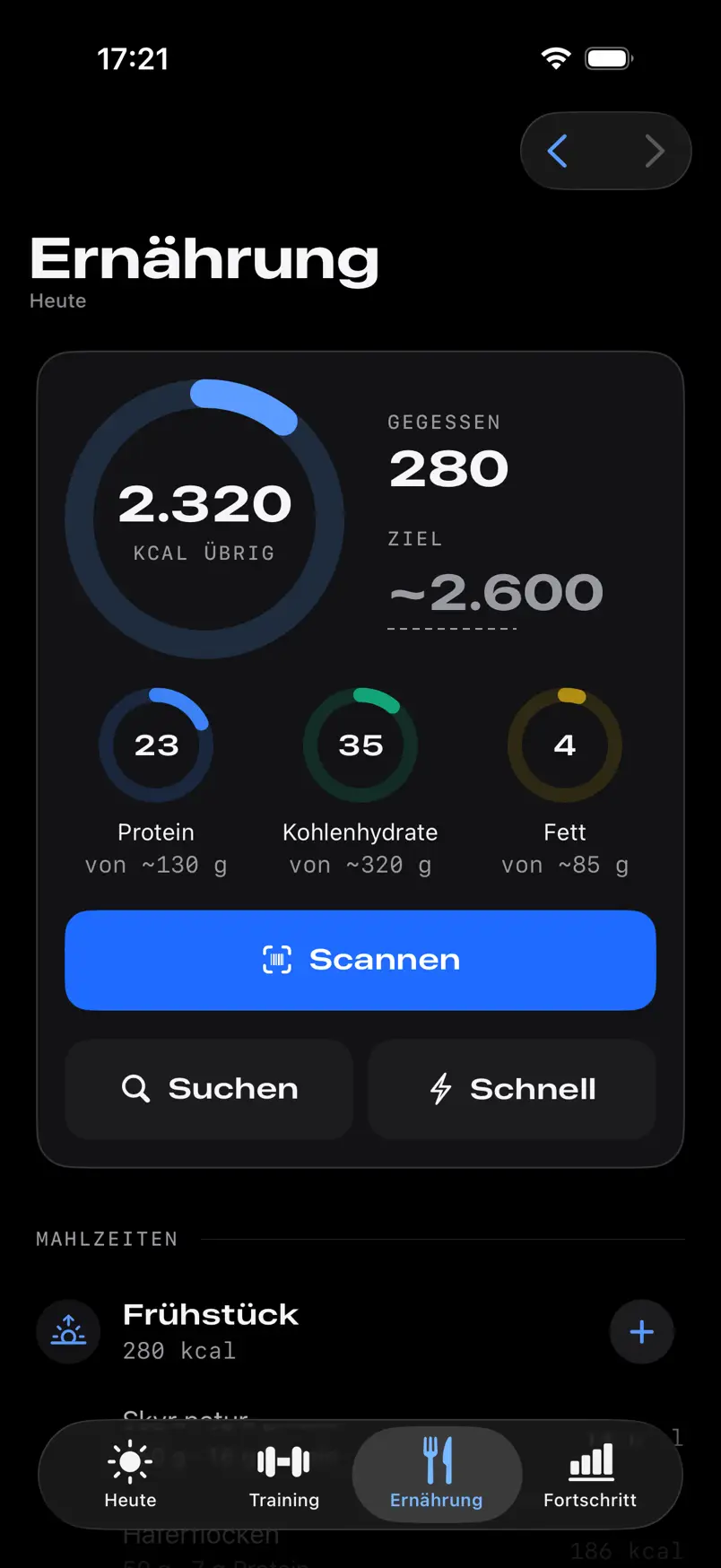
- Scan your foodBarcode, amount, done.
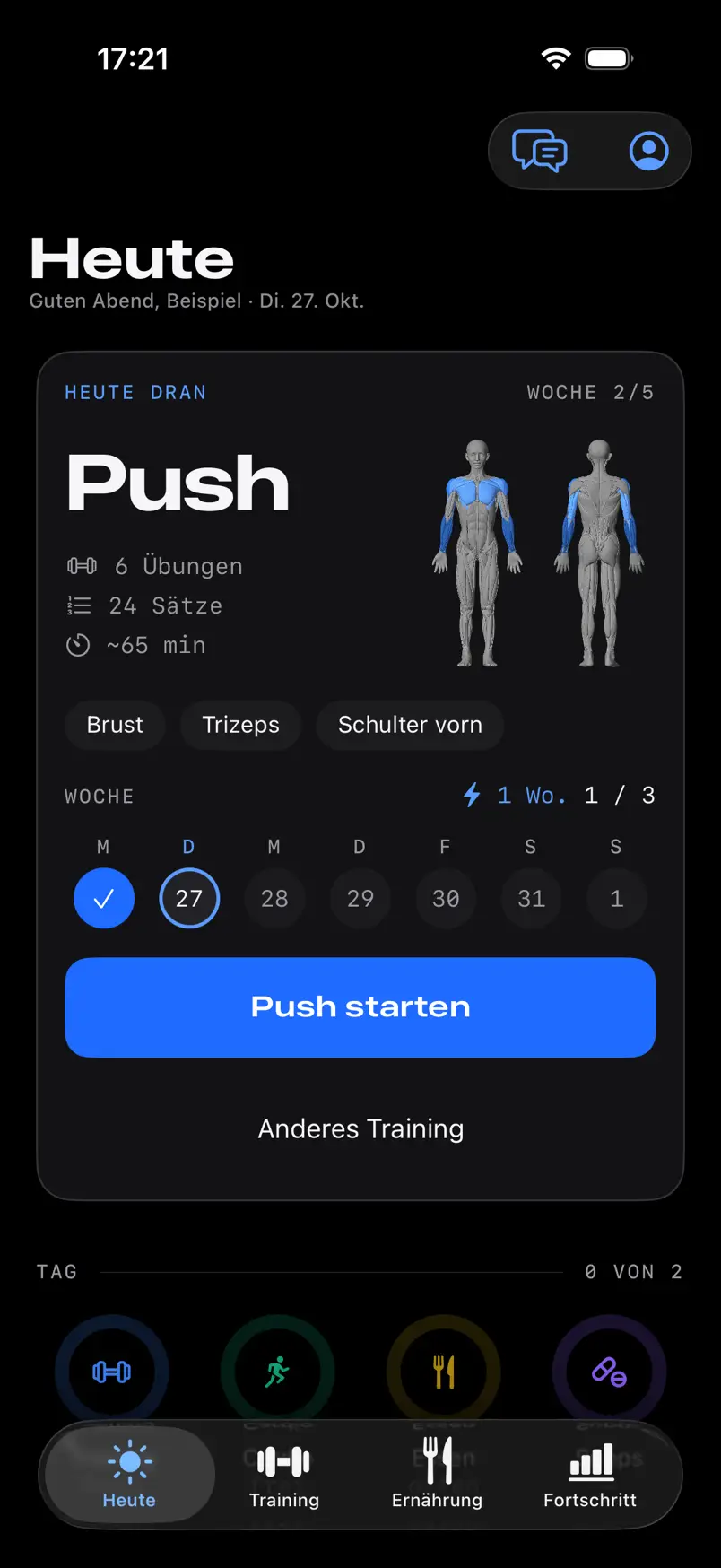
Training
One set, one tap.
Weight and reps are already filled in, from your plan or from last time. If the set went as planned, you tap Satz fertig (set done) once; with one change it takes two taps.Source 1
Also included: a rest timer with notification, a warm-up suggestion and the plates per side.
- Set as planned
- 1 tap
- With one change
- 2 taps
Sources
- Counted by an automated UI test of the app: a set as planned takes 1 tap, with one changed number 2 taps. Back to text
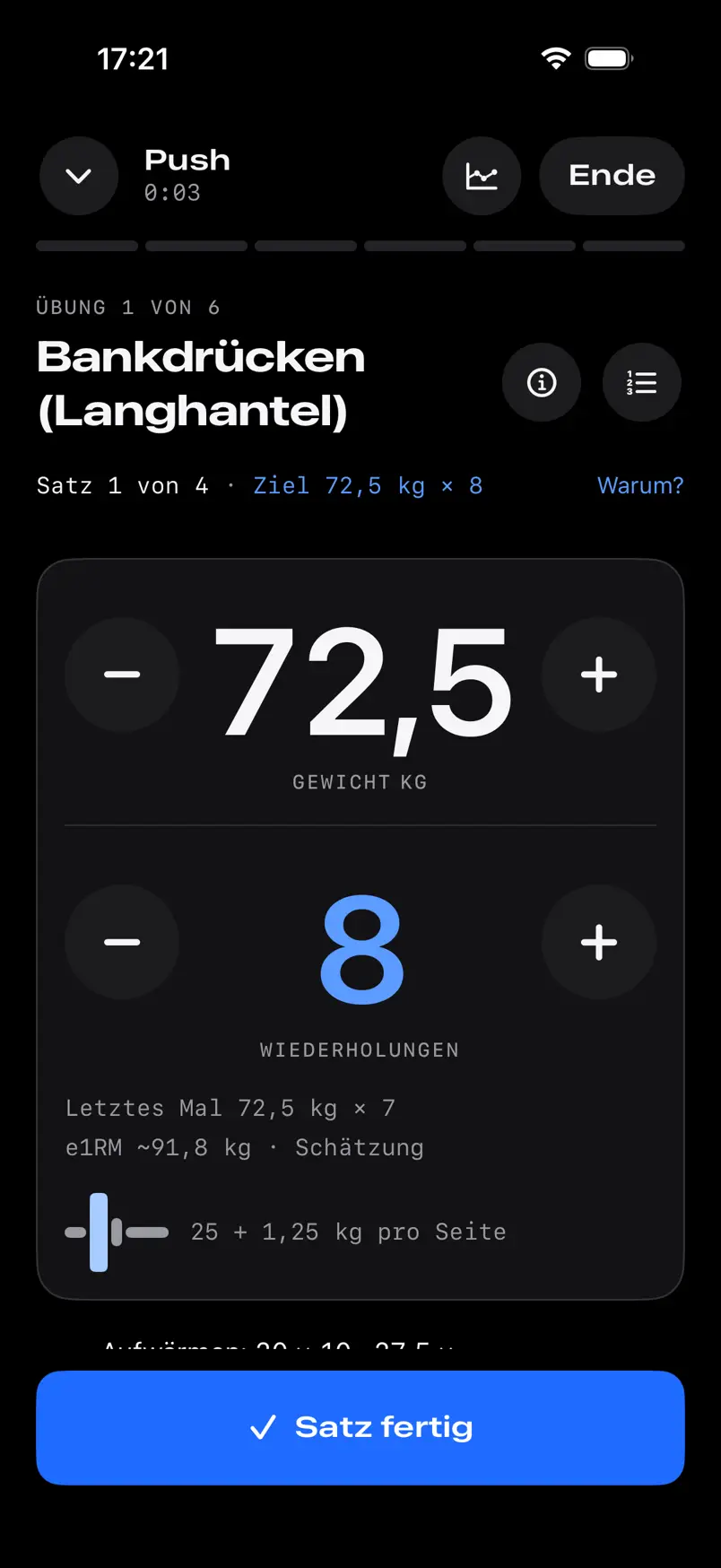
Plans and progression
Progress by rule, not by feel.
Pick a gym plan with fixed weekdays or a classic template. In the gym plans, the weight goes up: once you reach the top of the range in every set, FORMA suggests more and you start again at the bottom.Source 2 The reason is shown at the set under Warum? (why?).
New to training? If you enter less than a year of experience, you start with two sets per machine.Source 3 Without history, your first set finds the weight, and FORMA works out the remaining sets from it.Source 4
Example · reps
Sources
- Double progression, common training practice. With RIR recorded, the weight only goes up if at least the target RIR was left. Defaults in the gym plans: mostly 8–12 reps for larger exercises and 10–15 for isolation exercises, smallest step 2.5 kg; all adjustable per exercise. The classic templates also add sets. Back to text
- ACSM Position Stand “Progression Models in Resistance Training for Healthy Adults”, Med Sci Sports Exerc 41(3):687–708, 2009: beginners 1–3 sets. FORMA uses the middle for anyone with less than a year of experience. Back to text
- Estimated maximum using Epley from weight, reps and reps in reserve (RIR scale: Zourdos et al., J Strength Cond Res 30(1):267–275, 2016), worked back to the bottom of the range. Back to text
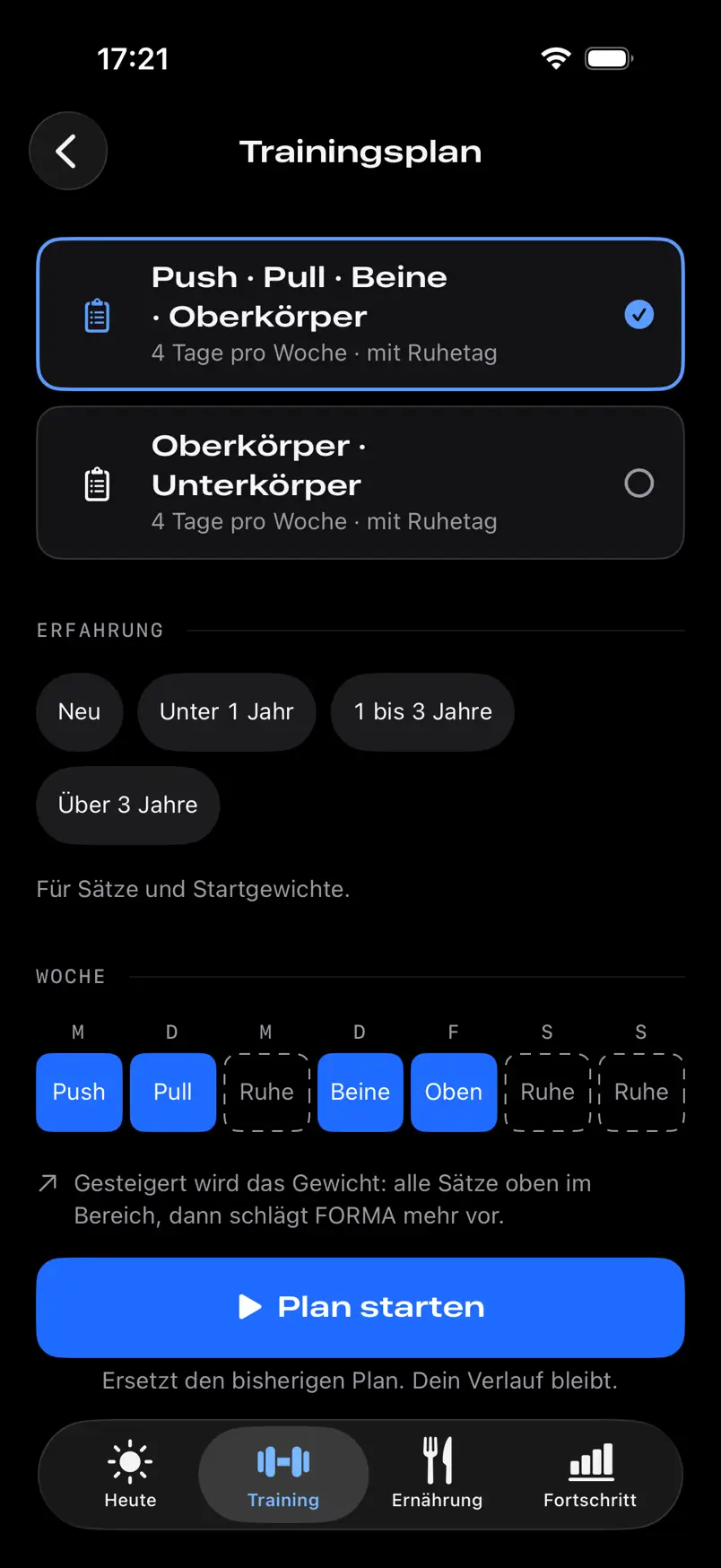
Body
Real anatomy, honest numbers.
The figure comes from an anatomy model based on MRI data.Source 5 It shows when you last trained each muscle hard: in days, not as an estimated recovery percentage.
A level exists only where at least two sources are available, and then as a range.Source 6 Body fat using the Navy method comes with an error band.Source 7
Example · level range from two sources
Sources
- Z-Anatomy (CC BY-SA 4.0), based on BodyParts3D, © The Database Center for Life Science (CC BY 4.0). FORMA groups the muscles into 17 training zones. Z-Anatomy · CC BY-SA 4.0 Back to text
- Reference values from community tables, not population statistics: Fitness Volt and ExRx (Kilgore, Rippetoe, Pendlay). Two sources exist for the barbell bench press, squat, deadlift and overhead press; otherwise FORMA shows only your own history. fitnessvolt.com/strength-standards/strength-data Back to text
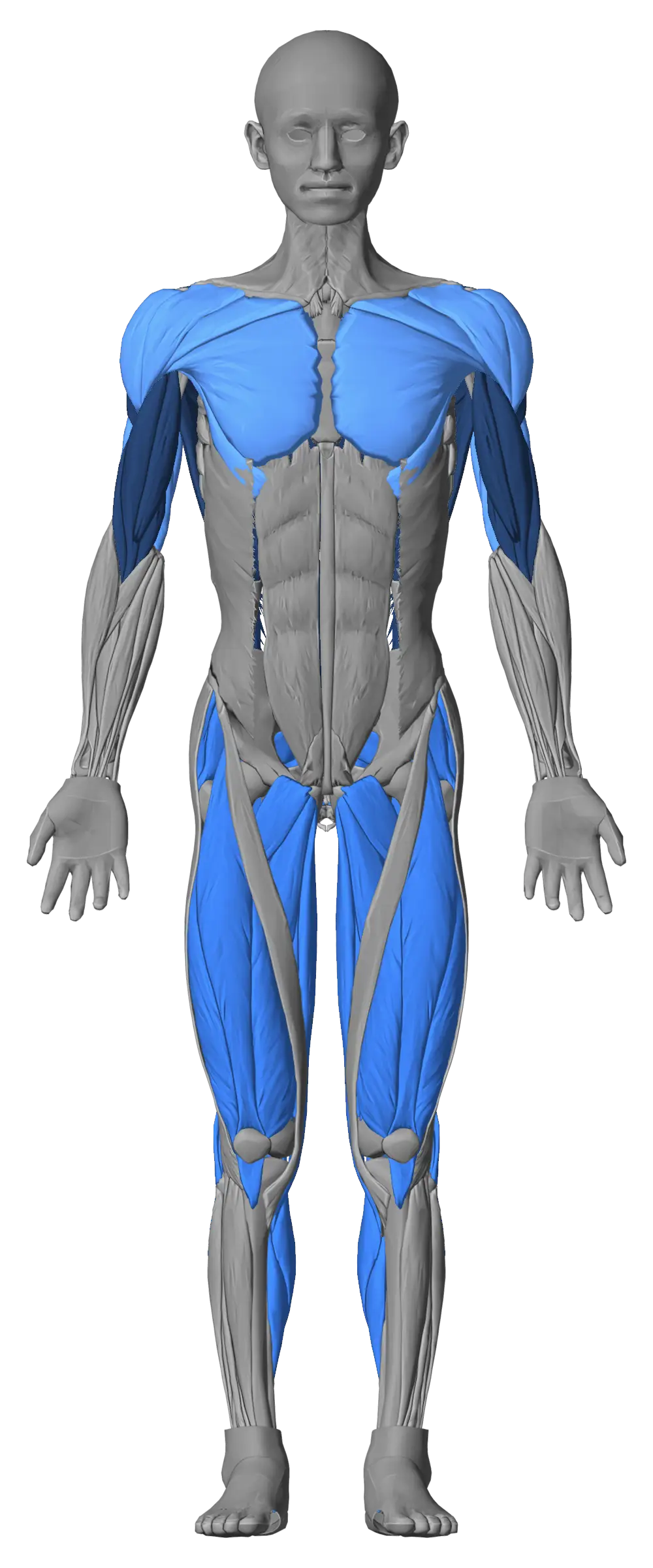
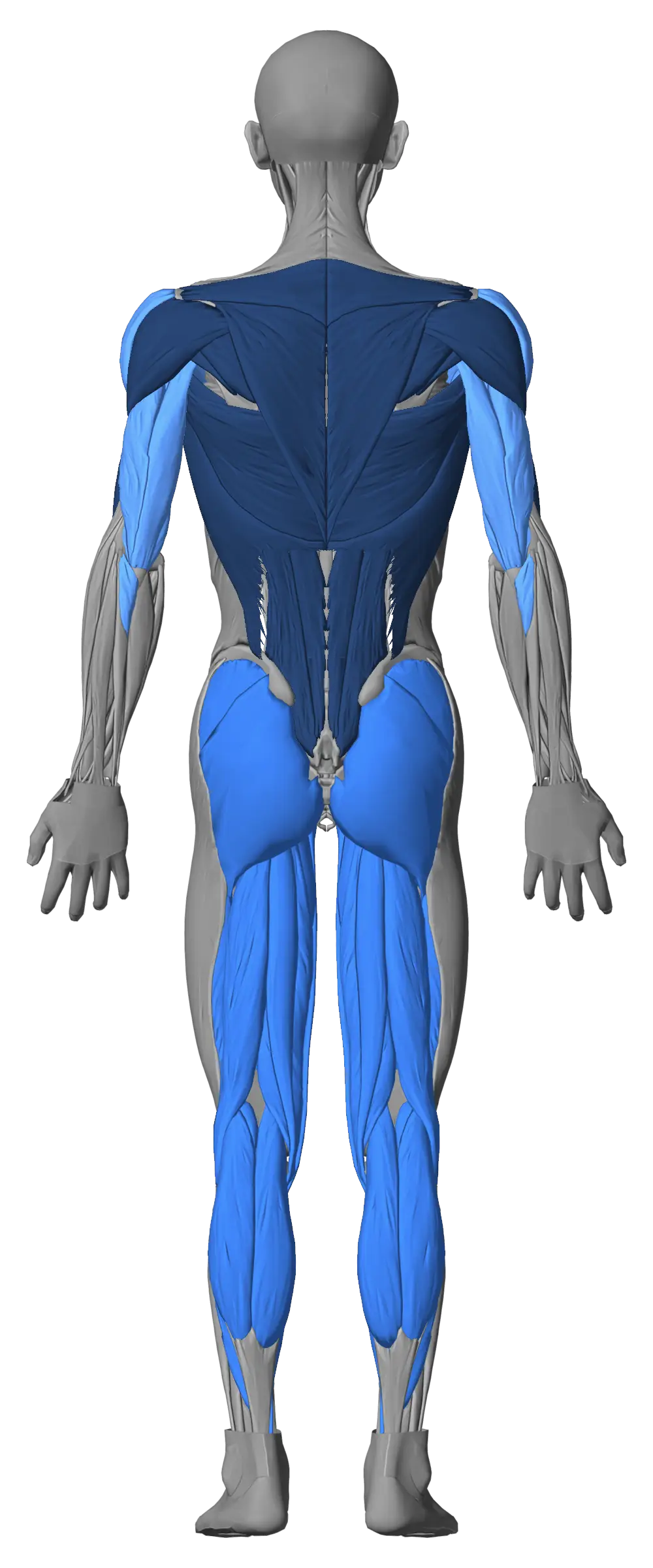
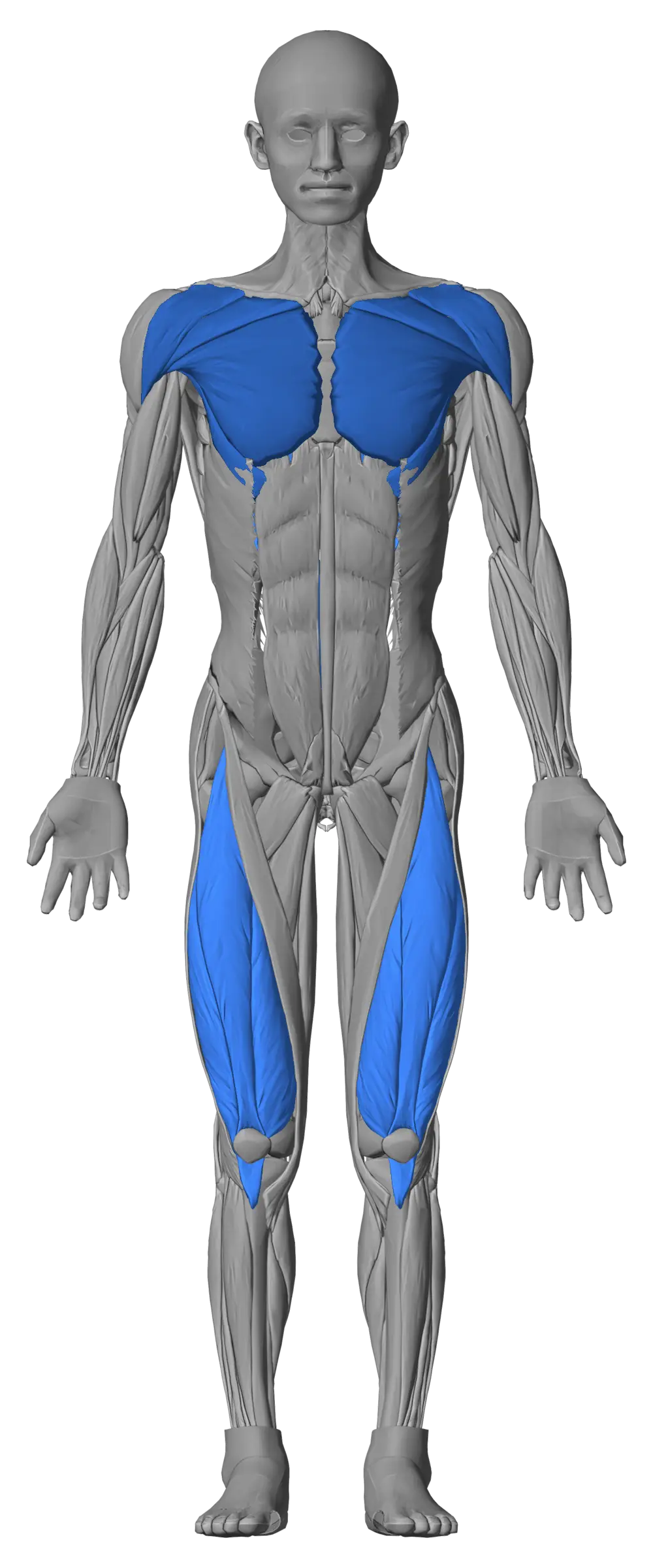
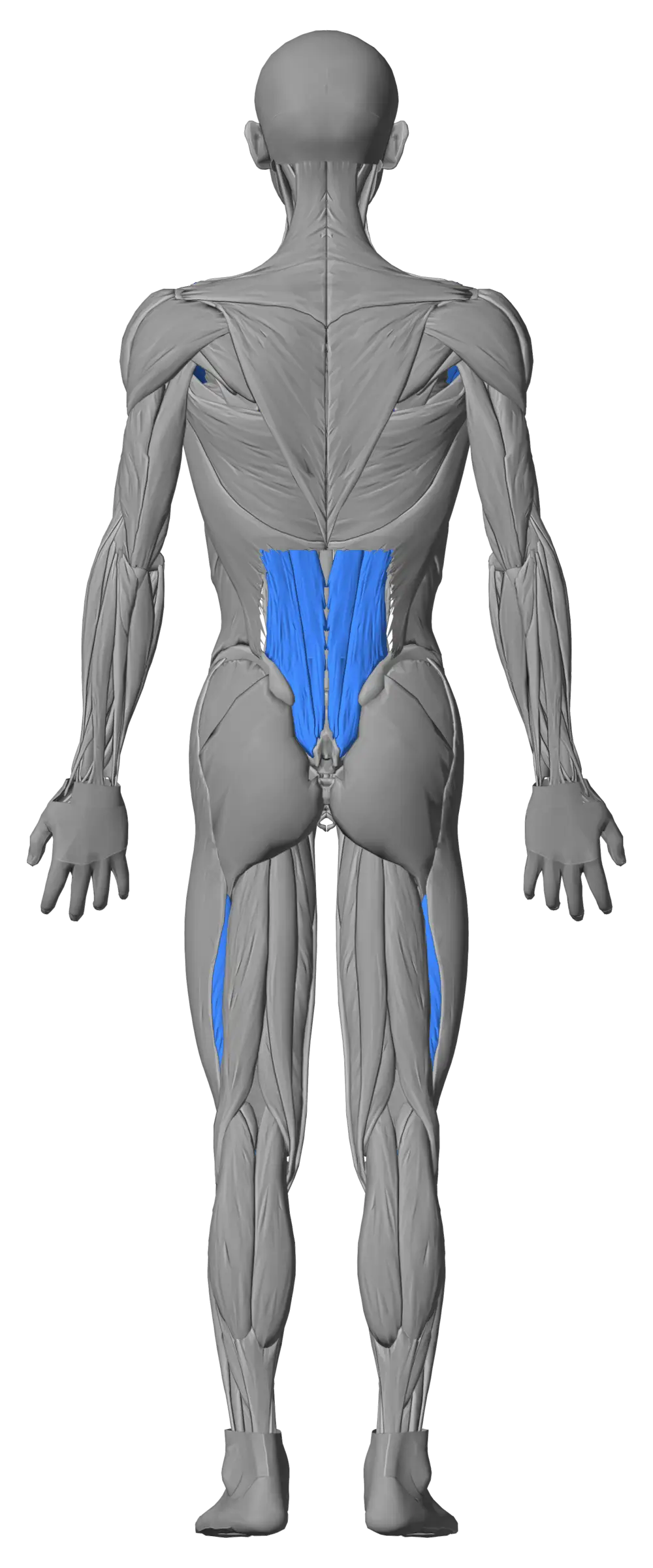
Drag to rotate
- 0–1 days
- 2–3 days
- 4–7 days
- longer
Example: push yesterday, legs three days ago, pull six days ago.
- Level 1
- Level 2
- Level 3
- Level 4
- Level 5
- no level
Example: a level only for chest, quads, lower back and front delts, the main muscles of the four exercises with two sources.
Figure: Z-Anatomy, CC BY-SA 4.0. Model license
Nutrition and cardio
Food and runs, logged fast.
After the scan, the amount is already filled in. FORMA fetches unknown products from Open Food Facts.Source 8 Your target is an estimate of your needs, shown with a tilde, and going over turns nothing red.Source 9
FORMA records runs, walks and rides with a GPS map and auto-pause. It syncs with Apple Health only with your permission, without duplicate entries. The cardio ring measures your week against 150 minutes.Source 10
Taps until savedSource 11
- Known product after the scan
- 1 tap
- Unknown product
- 2 taps
- Same meal as yesterday
- 1 tap
Sources
- Open Food Facts is an open, community-maintained database (ODbL). The barcode number is sent; for technical reasons the server also sees your IP address. Back to text
- Basal metabolic rate using Mifflin-St Jeor times an activity factor according to FAO/WHO/UNU (2004). Back to text
- WHO guidelines on physical activity (2020): 150–300 minutes of moderate activity per week; vigorous minutes count double. Back to text
- Known product and same meal as yesterday: counted by automated UI tests of the app. Unknown product: Übernehmen (accept), then Speichern (save), not checked by a UI test. Back to text
Privacy
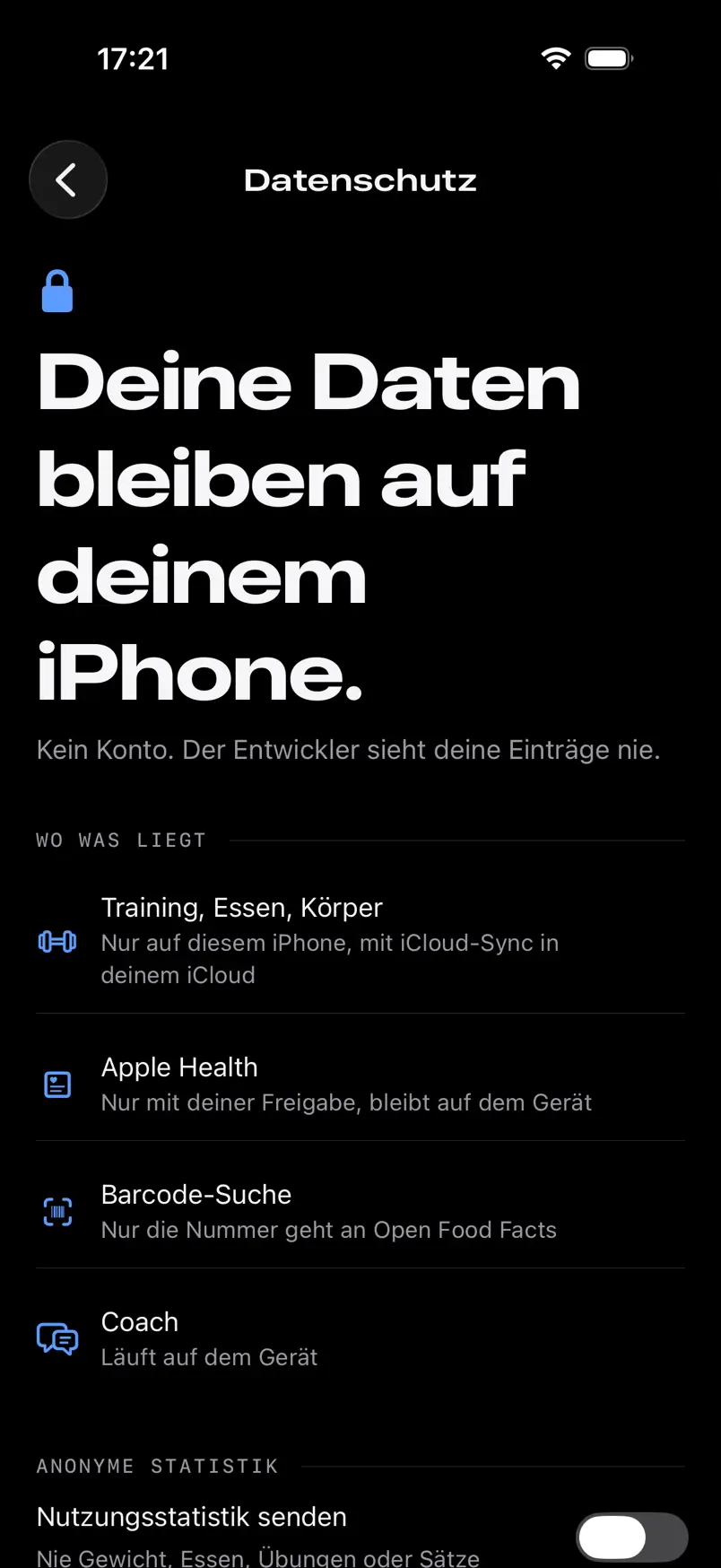
Your data stays on your iPhone.
No account. The developer never sees your entries. FORMA sends usage statistics only if you agree, and only from age 16.Source 12 Withdrawing deletes them on the server too, and Alle Daten löschen (delete all data) works right in the app.
Where your data is kept
- Training, food, body
- On your iPhone, in your iCloud only with sync
- Apple Health
- Only with your permission
- Barcode lookup
- The number goes to Open Food FactsSource 13
- Usage statistics
- Only with consent
Sources
- Consent under Art. 6(1)(a) GDPR and Section 25(1) TDDDG, age limit under Art. 8 GDPR. Only usage events such as “app opened” are sent, never weight, food, exercises or sets. Back to text
- For technical reasons, the Open Food Facts server also sees your IP address. Details in the privacy policy. Back to text
Cost
Free stays free.
Promised: what is free will never become paid. No ads.
Stays free
- Workout logging
- Cardio with map
- Food logging
- Barcode scanning
- Plans and routines
- Custom exercises
- Full history
- Rest timer
- Supplements with reminders
- Export and import
- 3D figure with your measurements
- Strength levels with sources
- Plate and warm-up calculator
- Starting values for new exercises
- Widgets
- Lock screen during workouts
FORMA Pro
More from your data.
Insights across training, food and body. Everything stays on your iPhone.
- Plateau analysis
- When progress stalls: notable patterns in your data, with sources.
- Weekly report
- Training, food, cardio and weight for each week side by side.
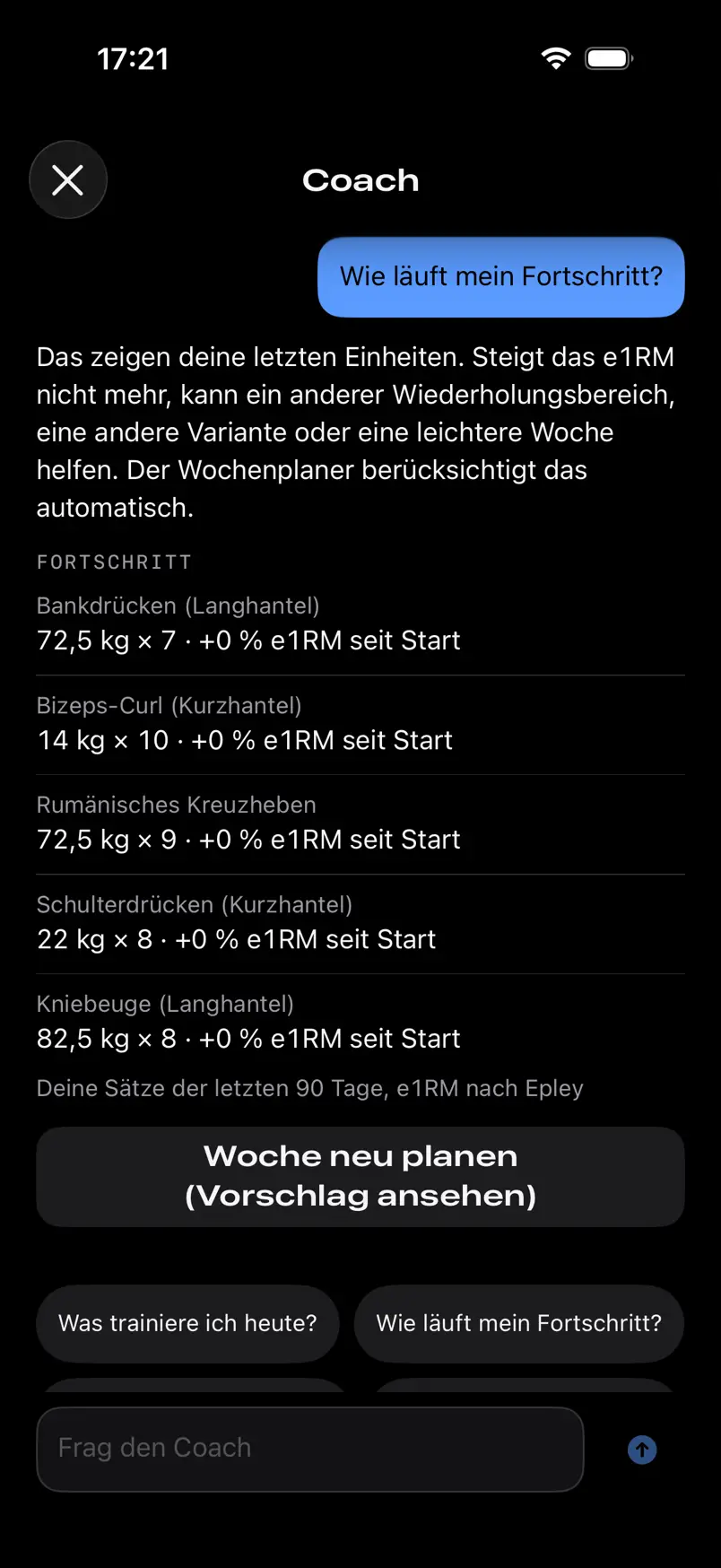
- Coach
- Questions about your data, answers with numbers. Private on your iPhone.Source 14
- Family Sharing
- One subscription for up to six people.Source 15
Purchase and subscription
- Buying
- Only in the app, through Apple. No FORMA account: Pro is tied to your Apple ID.
- Price
- Shown on the purchase screen before you buy, with the term. Until launch on the App Store, we don’t list a price here.
- Renewal
- A subscription renews automatically unless you cancel at least 24 hours before it ends.Source 16 With a free trial, FORMA reminds you 2 days before it ends with a notification, if allowed.Source 17
- Cancelling
- In FORMA under Profil und Einstellungen › Über FORMA › FORMA Pro › Abo verwalten oder kündigen (manage or cancel subscription), or in the iPhone Settings under your name › Subscriptions.
- Refunds
- Apple decides. You can request one in FORMA under Profil und Einstellungen › Über FORMA › FORMA Pro › Erstattung anfragen (request a refund), if offered, or directly with Apple.
- After Pro ends
- Everything you logged and all free features stay. Only the Pro features are locked.
Sources
- The coach answers free-form questions only with Apple Intelligence: a supported iPhone with Apple Intelligence turned on, in German. Without it, the coach shows the numbers with standard text for set topics such as progress, plan or nutrition. Apple: Apple Intelligence Back to text
- Apple Family Sharing: you and up to five family members. Apple: Family Sharing Back to text
- Apple’s terms for subscriptions: billing happens no earlier than 24 hours before the next period, and a free trial must be cancelled at least 24 hours before it ends. Apple Media Services Terms · Apple: Cancel a subscription Back to text
- A local notification from the app, with the price that follows once prices have loaded. On by default, can be turned off on the FORMA Pro page; it only arrives if FORMA may send notifications. Back to text
Questions
Frequently asked questions
Profil und Einstellungen (profile and settings) is the person icon at the top right of Heute (today).
The app
Which iPhone do I need?
An iPhone with iOS 26 or later, so iPhone 11 or iPhone SE (2nd generation) and newer. There is no separate version for iPad or Apple Watch at the moment.
Free-form questions to the coach in FORMA Pro also need Apple Intelligence.
Apple: iPhone models compatible with iOS 26When will FORMA be released?
FORMA is not yet available on the App Store, and there is no release date yet.
Is FORMA available in English?
No, the app is in German only for now. This website is available in German and English.
Does FORMA work with Apple Health?
Yes. Only if you allow it, FORMA reads workouts and weight from Apple Health and writes strength training and weight there. You change the permission in the Health app.
Does FORMA replace medical advice?
No. FORMA is for logging and planning training and lifestyle. No diagnoses, no medical or coaching advice.
Cost and Pro
What does FORMA cost?
The features under “Stays free” cost nothing, and there are no ads. FORMA Pro is optional and adds extra insights; you see the price before you buy.
Promised: what is free will never become paid. An automated test of the app fails as soon as a feature on that list would move behind Pro.
What stays free and what Pro addsHow do I cancel FORMA Pro?
In FORMA under Profil und Einstellungen › Über FORMA › FORMA Pro › Abo verwalten oder kündigen (manage or cancel subscription), or in the iPhone Settings under your name › Subscriptions. Cancellations and refunds are handled by Apple.
Purchases, cancelling and refunds on the support pageAccount and data
Do I need an account?
No. FORMA works without an account. Purchases go through your Apple ID, iCloud sync through your iCloud account.
Where is my data stored?
FORMA stores training, cardio, nutrition, body measurements and supplements only on your iPhone. The developer has no access to this data and never receives it.
With iCloud sync, it is also stored encrypted in your private iCloud space. When you scan a barcode or search, only the number or the search term goes to Open Food Facts; the server sees your IP address. If you add your own key for USDA FoodData Central, search terms also go there. FORMA sends anonymous usage statistics only with your consent.
Read the privacy policyCan I export my data?
Yes, at any time under Profil und Einstellungen › Daten › Export und Import (Data › Export and import): as a full backup (JSON) that FORMA can read back in, or as tables (CSV: sets, body measurements, cardio and nutrition).
You can import a FORMA backup or an export from Strong or Hevy (CSV). Importing adds to your data and never overwrites anything.
How do I move my data to a new iPhone?
With Profil und Einstellungen › Daten › iCloud-Sync (iCloud sync) on both devices, or with a backup that you read in on the new iPhone. Settings apply per device: the backup brings rest time and equipment along, reminders you set up again.
If FORMA Pro is not active right away: Profil und Einstellungen › Über FORMA › FORMA Pro › Käufe wiederherstellen (restore purchases).
How do I delete all my data?
Under Profil und Einstellungen › Über FORMA › Datenschutz › Alle Daten löschen (delete all data): all workouts, meals, measurements, plans and settings on this iPhone and in your iCloud space, plus the statistics on the server. Anything FORMA wrote to Apple Health you delete in the Health app.
All in one place. Honestly measured.
Coming soon for iPhone
The app is in German only for now.
Questions, bugs or ideas? Write to contact@melnychuk-anton.de.